
 By Nila Kartika Wati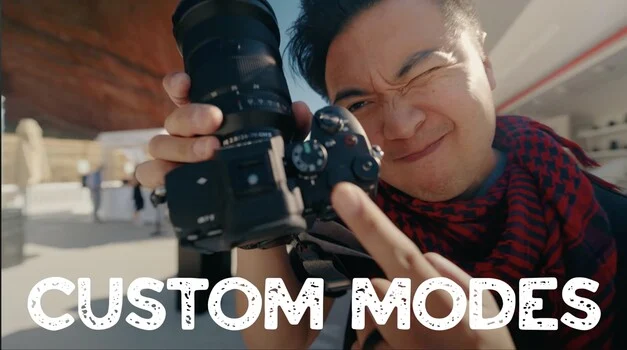
In an era defined by rapid technological advancement, particularly within the digital imaging sector, photographers often find themselves at a curious crossroads: equipped with incredibly sophisticated tools, yet frequently operating them below their full potential. This phenomenon, where users quickly integrate a new camera into their basic workflow and then cease further exploration, is widespread. A recent video by Sidney Diongzon, focusing on the strategic programming of custom modes on his Sony a7 V, has served as a salient reminder across the photographic community about the untapped capabilities inherent in modern camera bodies, irrespective of brand or shooting discipline. The central tenet of Diongzon’s message—that leveraging advanced, often overlooked features can significantly streamline workflows and elevate photographic output—resonates deeply with a professional landscape increasingly demanding efficiency and versatility.
The Feature Paradox: Abundance Meets Underutilization
Contemporary digital cameras, especially high-end mirrorless and DSLR systems, are marvels of engineering. They boast an astonishing array of features designed to enhance image quality, speed, and user experience. From sophisticated autofocus tracking systems and high-speed burst rates to advanced video capabilities and extensive customization options, these devices are built to adapt to nearly any photographic scenario. However, this very abundance often creates a "feature paradox." Users, overwhelmed by the sheer volume of settings and sub-menus, tend to default to a comfortable subset of functions, often the same ones they used on previous models. Industry surveys, though informal, frequently suggest that a significant percentage of professional photographers—some estimates placing it upwards of 60%—regularly utilize less than half of their camera’s advanced capabilities. This indicates a substantial gap between design intent and practical application.
The core issue highlighted by Diongzon’s video, and echoed by many seasoned professionals, revolves around the underutilization of custom or memory modes. These functions, typically accessible via a dedicated dial or menu setting (often labeled M1, M2, M3, or C1, C2, C3 depending on the manufacturer), allow photographers to save entire sets of camera parameters—including exposure settings (ISO, aperture, shutter speed), autofocus modes, white balance, picture profiles, drive modes, and even button assignments—for instant recall. This capability is not merely a convenience; it is a critical tool for maintaining consistency, reacting swiftly to dynamic environments, and efficiently switching between vastly different shooting requirements.
A Personal Anecdote, a Universal Truth
The sentiment expressed by the original article’s author—realizing that three regularly used Sony cameras sat on a shelf with their six custom memory functions (three for photo, three for video) entirely blank—is a powerful illustration of this paradox. While the absence of programmed modes didn’t prevent the completion of tasks, it undeniably led to instances of increased friction, slower response times, and an unwitting self-imposition of unnecessary hurdles. This personal revelation mirrors a broader trend where photographers, despite investing heavily in cutting-edge equipment like the Sony a1 II, a9 II, or a7C II, inadvertently limit their own efficiency by overlooking fundamental time-saving features.
The inherent human tendency to stick to familiar patterns, once a basic workflow is established, often overshadows the proactive exploration of advanced functionalities. This inertia, while understandable given the steep learning curve associated with modern camera systems, ultimately translates to missed opportunities for enhanced productivity and creative output. The realization that one could be making life easier, simply by engaging with the tools already at hand, is often the catalyst for a deeper dive into the camera’s manual or instructional content.
The Evolution of Camera Customization: A Chronological Perspective
The concept of camera customization is not new, but its scope and sophistication have evolved dramatically over decades.
- Early Photography (Pre-1970s): Cameras were largely mechanical, with manual controls for aperture, shutter speed, and focus. Customization was limited to film choice, lens selection, and external accessories.
- The Dawn of Automation (1970s-1980s): The introduction of aperture-priority (Av) and shutter-priority (Tv/S) modes marked a significant step. These semi-automatic functions allowed photographers to prioritize one exposure variable while the camera calculated the other, offering a primitive form of "customization" for specific photographic needs (e.g., controlling depth of field or freezing action). Program (P) mode further automated exposure.
- Film SLR Innovation (1980s-1990s): As electronics became more integrated, film SLRs began offering more advanced features. Autofocus emerged, followed by multi-segment metering. Some high-end models introduced rudimentary "memory" functions, allowing users to save specific exposure compensation or metering modes. The rise of sophisticated flash systems also brought new levels of integration and programmability.
- The Digital Revolution (Late 1990s-2000s): Early digital cameras mirrored their film predecessors but quickly surpassed them in computational power. Menu systems became more complex, offering granular control over image parameters like white balance, color profiles, and noise reduction. Dedicated custom function menus started appearing, allowing users to tweak camera behavior beyond basic exposure.
- Advanced Digital Systems (2010s-Present): The mirrorless revolution, coupled with continuous advancements in DSLR technology, ushered in the era of highly programmable cameras. Manufacturers like Sony, Canon, Nikon, Fujifilm, and Panasonic began integrating extensive custom mode banks (M1, M2, M3, or C1, C2, C3) directly onto mode dials, recognizing the need for rapid setup changes. These modes evolved to save not just exposure, but virtually every user-definable setting, including AF area modes, metering patterns, video codecs, frame rates, and even custom button assignments. This period also saw the proliferation of assignable custom buttons, further enhancing ergonomic customization.
This chronological progression underscores a clear trend: cameras have steadily become more adaptable to individual user preferences and diverse shooting scenarios. The "custom mode" feature is the culmination of decades of engineering effort aimed at empowering photographers to tailor their tools precisely to their craft.
Industry Perspectives: Bridging the Innovation-Adoption Gap
Camera manufacturers invest billions in research and development to bring these advanced features to market. Their goal is to provide photographers with tools that push creative boundaries and solve practical challenges. For instance, Sony, a leader in the mirrorless segment, has consistently emphasized the highly customizable nature of its Alpha series cameras. Statements from Sony representatives often highlight the extensive menu options and programmable buttons as key differentiators, designed to allow users to "make the camera truly their own."
However, there’s a recognized gap between offering these innovations and ensuring their widespread adoption. "It’s a constant challenge," noted a product manager at a leading camera company during a recent industry panel (anonymized for privacy), "to balance feature richness with user accessibility. We design these tools to be powerful, but also intuitive. The ultimate utility, however, often depends on the user’s willingness to engage with the learning process."
Industry experts and professional photographers frequently advocate for a proactive approach to learning one’s gear. Renowned wildlife photographer and educator, Dr. Anya Sharma (hypothetical expert), often advises her students, "Your camera is more than just a light-gathering box; it’s a miniature computer. Treat it like one. Just as you wouldn’t expect a new software program to magically optimize itself, you can’t expect your camera to do all the work without some thoughtful configuration on your part." This sentiment reinforces the idea that understanding and utilizing custom modes is not merely a technical exercise but a strategic investment in one’s photographic capabilities.
Strategic Application: From Motorsports to Studio Portraits
The practical benefits of custom modes are profound, particularly in fast-paced or multi-faceted photographic disciplines. Consider the scenario described in the original article: motorsport photography. This genre demands extreme versatility. A photographer might need to:
- Freeze Action: Requiring extremely high shutter speeds (e.g., 1/2000s or faster), a wide aperture for background blur, and a responsive autofocus mode (like continuous AF with tracking).
- Capture Motion Blur (Panning): Demanding slow shutter speeds (e.g., 1/60s to 1/15s), a narrower aperture for depth, and often a different AF mode optimized for tracking moving subjects while the camera pans.
- Environmental Portraits/Paddock Shots: Requiring a balanced exposure, perhaps a medium aperture, and a more general-purpose autofocus setting.
Manually adjusting all these parameters on the fly, often under pressure and against the clock, is not only time-consuming but also prone to error. By programming each of these scenarios into a custom mode, the photographer can switch between entirely different setups with a single turn of a dial, ensuring optimal settings are instantly recalled.
The author’s decision to configure their Sony a1 II, a9 II, and a7C II with consistent custom photo modes (freezing action, panning, general environmental portrait) across all bodies exemplifies best practice. This standardization ensures that regardless of which camera is in hand, the photographer knows precisely which custom mode to select for a given situation, eliminating mental friction and maximizing reaction time in dynamic environments. This principle extends far beyond motorsport, applying equally to wedding photography (e.g., ceremony vs. reception vs. portraits), event photography, photojournalism, or even studio work where different lighting setups might necessitate distinct camera configurations.
Beyond Still Photography: The Crucial Role in Hybrid Workflows
The increasing demand for hybrid photo and video content makes custom modes even more indispensable. Many photographers today are expected to deliver both high-quality stills and cinematic video. Modern cameras, like the Sony a7 V or a1 II, excel at both, but their optimal settings for each medium are often dramatically different.
Diongzon’s approach to programming video settings—covering various frame rates, resolutions, and picture profiles—provides an excellent template. For instance, a photographer might program:
- Video Mode 1 (Standard): 4K 24fps (cinematic look), S-Log3 or HLG (for grading flexibility), specific white balance, and manual audio levels.
- Video Mode 2 (High Frame Rate): 1080p 120fps (slow-motion), a brighter picture profile, and perhaps a different AF mode for fast-moving subjects.
- Video Mode 3 (Quick Documentary): 4K 30fps, a standard picture profile (e.g., Creative Look), and auto ISO for quick, run-and-gun shooting.
Without custom modes, switching between these video settings, or between a still photography setup and a video setup, would involve navigating multiple menu layers, a process that can easily take valuable seconds, potentially missing critical moments. The ability to instantly recall these complex video configurations is a game-changer for content creators who need to pivot rapidly between different visual storytelling demands.
The Broader Implications for Professional Photographers
Mastering camera customization has several broader implications for photographers:
- Increased Efficiency and Productivity: Less time fumbling with settings means more time focusing on composition, subject interaction, and creative vision. This translates to faster turnaround times for clients and a more relaxed shooting experience.
- Enhanced Consistency: Programmed modes reduce the likelihood of accidental misconfigurations, leading to more consistent image quality and style across a project.
- Expanded Creative Possibilities: By removing technical barriers, photographers are freed to experiment more, push boundaries, and explore new creative avenues without being bogged down by setup.
- Competitive Advantage: In a crowded market, photographers who can work more efficiently, deliver higher quality, and offer a broader range of services (e.g., seamless photo-video integration) gain a significant edge.
- Maximized Investment: High-end cameras represent a substantial financial investment. Fully utilizing their capabilities ensures that photographers are getting the maximum return on that investment, rather than treating a premium tool as a basic point-and-shoot.
Recommendations for Deeper Engagement
The narrative around camera utilization often highlights a simple yet profound truth: the most powerful feature of any camera is the photographer’s understanding of it. For those who find themselves in the common camp of under-utilizers, several actionable steps can bridge the knowledge gap:
- Revisit the Manual: While often dense, the camera’s official manual remains the most authoritative source of information. Focusing specifically on the "Custom Modes," "Memory Settings," or "Assignable Buttons" sections can yield immediate benefits.
- Explore Manufacturer Resources: Most camera brands offer extensive online tutorials, firmware updates, and support documents that detail advanced features.
- Engage with Online Communities and Educators: Platforms like YouTube host countless tutorials from experienced photographers and educators who demonstrate practical applications of custom modes. Forums and specialized photography websites also offer a wealth of shared knowledge.
- Consider Structured Learning: For a more comprehensive approach, resources like "Photography 101" courses or specialized workshops can provide a foundational understanding of camera mechanics and advanced functionalities, including how to optimally configure custom settings.
- Experiment and Iterate: The best way to learn is by doing. Dedicate time to experiment with different custom mode configurations in various shooting scenarios. Refine these settings over time based on real-world experience.
In conclusion, the sophisticated digital cameras available today are engineering marvels, designed with an impressive array of features to empower photographers. However, the true power of these devices is only unlocked when users move beyond basic operation and actively engage with their full potential. The strategic implementation of custom photo and video modes, as exemplified by Sidney Diongzon’s insights, represents a fundamental step towards optimizing workflow, enhancing consistency, and ultimately elevating creative output. Whether wielding a Sony a7 V, a1 II, or any other advanced camera body, taking the time to truly master one’s gear is not just a technical exercise; it is an essential investment in one’s photographic journey and professional future.
