
 By Nila Kartika Wati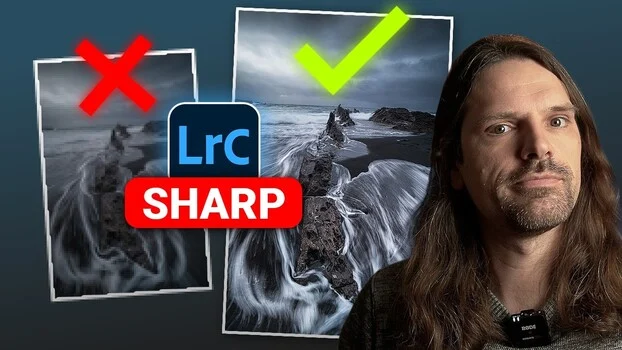
In the intricate world of digital photography, the pursuit of optimal image clarity and definition often culminates in the crucial post-processing step of sharpening. While Adobe Lightroom is universally recognized as a cornerstone application for photo editing, its capabilities for sharpening an image are far more sophisticated and multifaceted than many users realize. Conventional wisdom often limits photographers to one or two primary sharpening adjustments, yet the software offers at least four distinct methodologies, each with unique applications and nuanced effects. Understanding the specific function of each technique and, more importantly, how to strategically combine them, represents the demarcation between an image that exhibits deliberate, refined sharpness and one that appears artificially over-processed or "overdone."
Christian Möhrle, the insightful voice behind The Phlog Photography, recently provided a practical and illuminating video demonstration that meticulously deconstructs these four sharpening pathways within Lightroom. His tutorial serves as an invaluable resource, guiding photographers beyond rudimentary adjustments to embrace a more holistic and effective sharpening workflow. The core objective is not merely to increase sharpness but to enhance perceived detail, textural richness, and overall visual impact without introducing detrimental artifacts.
The Foundational Approach: Global Sharpening in the Details Panel
The journey into Lightroom’s sharpening capabilities typically commences within the ‘Details’ panel, a centralized hub for noise reduction and global sharpening adjustments. This panel hosts four critical sliders—Amount, Radius, Detail, and Masking—each playing a distinct role in how sharpness is applied across an entire image.
Historically, sharpening algorithms in digital imaging software evolved to counteract inherent optical and sensor limitations. Digital camera sensors, particularly those employing Bayer arrays, require a process called demosaicing to reconstruct a full-color image from individual red, green, and blue pixels. This process, along with the presence of anti-aliasing filters (designed to prevent moiré patterns), can subtly soften an image. Lens characteristics, even in high-quality optics, also contribute to varying degrees of softness. Consequently, sharpening became an indispensable step to restore or enhance fine detail lost during capture and processing. Lightroom, since its inception, has continuously refined its sharpening engine to offer increasingly sophisticated control.
Möhrle’s exposition begins with a detailed breakdown of these four sliders:
- Amount: This slider dictates the intensity of the sharpening effect. It essentially controls how much contrast is added to the edges detected in the image. A higher ‘Amount’ value generally results in a more pronounced sharpening effect, but excessive application can quickly lead to an unnatural, harsh appearance.
- Radius: Arguably one of the most critical and often misunderstood sliders, ‘Radius’ determines the size of the details to which the sharpening effect is applied. It defines the width of the edge pixels that Lightroom analyzes and enhances. A smaller radius targets finer details and thinner edges, while a larger radius affects broader edges and can create a more generalized, often less desirable, halo effect around high-contrast areas. Möhrle’s default recommendation to drop the ‘Radius’ slider all the way down underscores a fundamental principle of subtle, fine-detail sharpening.
- Detail: This slider controls the threshold for sharpening, influencing how much texture and fine detail are enhanced. A higher ‘Detail’ value sharpens more fine-grained information, bringing out intricate textures. Conversely, a lower value tends to sharpen only prominent edges, leaving finer details untouched. Möhrle’s suggestion to bring ‘Detail’ all the way up, particularly when combined with a low ‘Radius’, aims to extract the maximum amount of micro-detail without over-sharpening broader transitions.
- Masking: Perhaps the most intelligent of the global sharpening sliders, ‘Masking’ is designed to protect smooth areas of an image, such as skin, skies, or out-of-focus backgrounds, from unwanted sharpening. By holding down the Alt (or Option on Mac) key while adjusting this slider, a visual overlay appears, revealing the areas being sharpened (white) and those being protected (black). This visual feedback is invaluable for precise control. Möhrle advises setting ‘Masking’ between 30 and 70, depending on the image content, allowing photographers to selectively apply sharpening only to the most detailed parts of the scene, such as eyes, hair, or intricate textures, thereby preventing the amplification of noise in smoother regions.
Möhrle’s recommended default starting point—dropping ‘Radius’ all the way down, bringing ‘Detail’ all the way up, setting ‘Masking’ between 30 and 70, and then dialing ‘Amount’ between 40 and 90—offers a reliable and repeatable baseline. This workflow moves beyond guesswork, providing a structured approach to global sharpening that prioritizes fine detail and minimizes artifacts. This methodology aligns with general industry best practices that advocate for subtle, targeted sharpening, often referred to as "capture sharpening," designed to compensate for the initial softening from the camera system.
Precision Enhancement: Local Sharpening Through Masking
While global sharpening provides a broad enhancement, the true power of Lightroom’s sharpening capabilities emerges with local adjustments. This is where photographers can transcend the limitations of uniform application and target specific areas for enhancement, a technique that has become increasingly vital for professional-grade results. Local sharpening tools, such as the Adjustment Brush, Radial Filter, and Graduated Filter, significantly expanded Lightroom’s versatility when they were introduced and refined in earlier versions (e.g., Lightroom 3 and 4 saw significant enhancements to local control).
Rather than applying a blanket sharpening effect across the entire image, local masking allows for the isolation of specific elements—a foreground rock, an animal’s eye, a patch of intricate texture, or even a specific architectural detail. Within these masked areas, a dedicated ‘Sharpen’ slider is available. Möhrle notes that this local sharpening slider is inherently more subtle than its global counterpart, providing finer control. However, its true potential is unlocked through the strategic stacking of multiple masks. By applying several local adjustment masks, each with its own sharpening setting, photographers can build up intensity in highly specific regions without affecting surrounding areas. This iterative approach allows for meticulous control over perceived sharpness, ensuring that crucial elements pop with clarity while other areas remain soft or untouched, thereby guiding the viewer’s eye.
The ability to target sharpening locally is paramount in various photographic genres. In portraiture, it allows for sharpening only the eyes and perhaps the texture of hair, while leaving skin smooth. In landscape photography, a photographer can sharpen distant mountains to enhance definition, while the foreground remains slightly softer to create a sense of depth. This selective enhancement avoids the common pitfall of globally sharpening noise in shadows or smooth skies, which can degrade image quality.
Indirect Sharpening: Leveraging Texture and Clarity for Microcontrast
Beyond the explicit sharpening sliders, Lightroom offers two powerful tools that indirectly contribute to the perception of sharpness by manipulating microcontrast: the ‘Texture’ and ‘Clarity’ sliders. These tools, introduced in more recent iterations of Lightroom (Texture was a relatively new addition in 2019), were designed to provide nuanced control over different frequency bands of detail, addressing specific user demands for more refined textural adjustments.
These sliders do not sharpen edges directly in the same way the ‘Amount’ slider does. Instead, they boost local contrast within specific tonal ranges, making details appear more defined and "punchy."
-
Texture: This slider primarily targets medium-sized details and fine textures. When increased, it enhances the contrast of details like wave patterns on water, the grain of sand, the texture of fabric, or the intricate patterns in foliage. It operates on a finer frequency range than Clarity, making it ideal for bringing out tactile qualities without affecting broader tonal transitions or creating harsh halos. Möhrle emphasizes its role in boosting these specific micro-details, which the human eye interprets as increased sharpness. Conversely, decreasing ‘Texture’ can smooth skin or soften rough surfaces, demonstrating its versatility beyond just enhancement.
-
Clarity: The ‘Clarity’ slider works on a broader scale than ‘Texture’, primarily affecting midtone contrast. By increasing the contrast between adjacent pixels in the midtone range, ‘Clarity’ adds punch and definition, making an image appear sharper and more three-dimensional. It is particularly effective for enhancing dramatic clouds, adding definition to moving water, or giving architectural subjects a more robust presence. However, excessive ‘Clarity’ can lead to an HDR-like effect, posterization, or an unnatural, gritty look, especially in portraits. Understanding its impact on midtones versus fine textures is crucial for its judicious application.
Both ‘Texture’ and ‘Clarity’ offer distinct advantages over traditional sharpening by focusing on microcontrast, allowing photographers to enhance the perception of detail in ways that are often more aesthetically pleasing and less prone to artifacts than solely relying on edge sharpening. Adobe’s introduction of these sliders can be inferred as a direct response to the growing demand for more sophisticated and nuanced control over image detail, moving beyond the binary "sharp or not sharp" paradigm.
The Unconventional Edge: Tonal Adjustments for Perceived Sharpness
The fourth and perhaps most overlooked sharpening method Möhrle unveils transcends conventional sharpening tools entirely, venturing into the realm of tonal adjustments to manufacture the appearance of sharpness along a hard edge. This sophisticated technique leverages the fundamental principles of visual perception, where increased contrast at a boundary inherently leads the eye to perceive that boundary as sharper and more defined.
Möhrle brilliantly demonstrates this with a horizon line where the sky meets the ocean. Instead of touching any sharpening sliders, he employs a local adjustment mask (e.g., a Graduated Filter or a carefully painted Adjustment Brush) to target only the bottom edge of the sky. Within this masked area, he then subtly pushes up the ‘Whites’ or ‘Exposure’ sliders. The effect is not to sharpen the pixels directly but to increase the luminance difference between the sky and the ocean at their meeting point. The result is a visibly sharper, more distinct horizon line, even though no "sharpening" per se has been applied. This trick works because the human visual system interprets a greater tonal separation at an edge as increased definition.
This same approach can be applied with striking effectiveness to architectural subjects. By carefully building a mask—perhaps using a linear or radial gradient, or even advanced range masking—to target the hard edge of a building against the sky, and then subtly adjusting the contrast or brightness values on one side of that edge, a photographer can manually punch up the definition. This method requires a keen eye and precise masking but yields a remarkably clean and natural-looking enhancement that traditional sharpening might struggle to achieve without introducing halos or noise.
The "before-and-after" comparisons of this technique are often subtle but profound, showcasing how an understanding of light, contrast, and visual psychology can be more potent than algorithmic sharpening alone. This method highlights the broader implication that truly mastering image editing involves not just knowing what each slider does, but understanding how different adjustments interact and how they influence human perception of an image. It represents a significant step towards a more artistic and informed approach to post-processing, moving beyond a purely technical application of tools.
Synthesis and Broader Implications for Photographers
The four distinct sharpening methods presented by Christian Möhrle are not mutually exclusive; rather, they are synergistic components of a comprehensive and advanced sharpening workflow. A truly professional approach often involves a carefully orchestrated combination: initiating with a judicious global sharpening in the Details panel, followed by selective local sharpening on key subjects, leveraging Texture and Clarity to fine-tune microcontrast, and finally, employing tonal adjustments for critical edge definition.
This layered approach is crucial for avoiding the dreaded "overdone" look—the hallmarks of which include harsh halos around subjects, amplified digital noise, and an overall artificial appearance that detracts from the image’s natural beauty. By understanding when and how to apply each method, photographers gain unparalleled control over the final presentation of their work.
The implications for photographers are substantial. Firstly, it elevates the potential for image quality, allowing even moderately sharp captures to be refined into stunningly clear visuals. Secondly, it offers greater creative control, enabling photographers to direct the viewer’s eye precisely where they intend. In a highly competitive visual landscape, the ability to produce images that possess superior clarity and impactful detail can be a significant differentiator. Furthermore, mastering these in-built Lightroom tools can reduce the reliance on external plugins for specialized sharpening, streamlining the workflow and potentially reducing software costs.
The ongoing evolution of sharpening algorithms, both in camera technology and post-processing software, reflects a continuous quest for higher fidelity and more intelligent detail extraction. From the initial rudimentary "unsharp mask" filters to today’s AI-powered enhancement tools, the industry consistently pushes boundaries. Möhrle’s tutorial underscores that even with advanced automated features, a deep, manual understanding of these core principles remains indispensable for achieving truly bespoke, high-quality results.
In conclusion, mastering Lightroom’s diverse array of sharpening tools—from the foundational Details panel to the nuanced application of local adjustments, the indirect power of Texture and Clarity, and the advanced technique of tonal edge enhancement—is an essential skill for any photographer aiming for professional-grade image quality. Möhrle’s practical video serves as an invaluable guide, demystifying these techniques and empowering photographers to transform their images from merely sharp to exquisitely defined.
